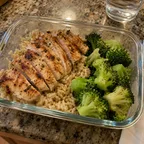
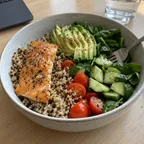
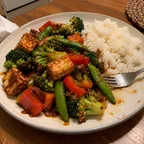
Planning ahead is where an assistant really earns its place. It can juggle your targets, your tastes and a busy week in a way that’s tedious to do by hand, and with a food journal it can see what you’ve already eaten and keep the plan where you’ll find it.
Give it the brief
Your targets come from your journal, so you don’t need to repeat them. Tell your assistant what it can’t see:
- what you like and what you avoid, including any allergies;
- how much time you have to cook, and on which days;
- when you’re eating out, and which meals you’d like leftovers for.
Splot doesn’t store your preferences, so mention them in the conversation, or keep them in your assistant’s own memory or instructions.
Ask for the plan
- “Plan my dinners Monday to Friday, about 600 kcal each, no fish.”
- “Plan tomorrow so I reach 130 g protein.”
- “I’m out for dinner on Thursday. Plan the rest of the day around a restaurant meal.”
Your assistant saves each meal to your journal as planned, so you can see the week in the Splot app. Ask for a shopping list for the planned meals, and it writes one in the chat.
When the week changes
Plans rarely survive a whole week, and that’s fine:
- “I had the lunch I planned.” Your assistant marks it eaten, rather than logging it twice.
- “I had pizza instead of the salad.” It logs the pizza and drops the plan.
- “I went over yesterday. Adjust the rest of the week?” It reworks the meals still to come.
Planned meals sit beside eaten ones and count towards your totals only once you’ve had them, so the plan never makes a day look better than it was.
See also set targets for your goal and adapt a recipe to fit your macros.